HEDUA “On the Go” Planner & Family Magazine Giveaway!

I’m very excited to say that tomorrow morning we will have a lovely giveaway posted at Schoolin’ Swag! FIVE very fortunate winners will receive a bundle including a copy of HEDUA’s “On the Go” Planner for 2016!

hedua1The On the Go Planner from the Well Planned Gal is a beautifully designed day planner and home management system perfectly sized to fit in your purse. Take it with you everywhere you go and stay organized at home and on the go! Look inside here! 

  • Perfectly purse-sized (GENIUS, right???)
  • Space to create a daily schedule and to-do list
  • Meal Planning
  • Monthly Budgeting
  • One year Bible reading plan

These five winners will ALSO receive a year’s subscription to Family Magazine! 

hedua2Family Magazine meets you at the intersection of your life and faith. Committed to engaging today’s homeschooling family in thoughtful discussions of relevant topics, we bring you the best articles by the best authors about the most important issues facing families today. No cookie-cutter answers here—only practical, current homeschooling advice and resources. Come join the most meaningful discussions taking place in the homeschooling community!

I will also be reviewing the “On the Go” Planner as well as the HEDUA “Well Planned Day” Planner for 2015-2016! Keep an eye out!

Specials:  Be aware of these special prices, available right now on these products!

  • Well Planned Day Planner (reg $26.95) now $13.47!
  • On the Go Planner 2015-2016 (reg $15.95) now 7.97!
  • Family Magazine (reg $25) now $12!
  • These Great Sales and much more, at this link!

Go and “like” the HEDUA Facebook page here! Follow the “Well Planned Gal” herself, by clicking here. 🙂 You can sign up for their free newsletter right here, and find LOTS of freebies here!

Christmas Countdown!

We are counting down the days at Schoolin’ Swag! Our “12 Hours of Christmas” event begins at 9am on December 1, and in preparation for the festivities, we are giving away a prize a day in the group! Prizes already given away:

fatal-illusions2Today we are offering two paperback copies of “Fatal Illusions” by my author friend, Adam Blumer. This is a clean (no worries about language or suggestive content) Christian mystery, full of riveting suspense!  Go over to the group on Facebook and enter to win. Winners will be drawn at 10pm Mountain Time.

Upcoming Countdown Prizes:

Saturday: A copy of Rapid Recall Addition from Little Giant Steps! (value $45.54)

Sunday: From Memoria Press, we’ll have their set of 4 Advent books, as well as a Classical Christmas CD from their Lingua Angelica course! (total value $56.95)

Monday: A $15 Gift Certificate from Usborne Books!

Tuesday: “12 Hours of Christmas” event begins at 9am!

“Learn With Homer” Review and Deep Discount!

Have you met Homer yet? Learn With Homer was born (well, it became public) in August of 2013. In the short time that has elapsed since then, this adorable pigeon and all of his buddies have gained quite a following…over 1 million children now learn with him! So what has all these prominent media, news, and educational sites buzzing? Stick with me, and find out!

What is Learn with Homer? Here is an infographic to help you understand the method:

homermethod

Learn With Homer accomplishes these four steps through beautiful, colorful graphics, gorgeous photography, engaging stories (a variety of history, myths, fables, folk tales, nursery rhymes), songs (from all around the world…and the vocabulary is linked to the lessons!), art, poetry, and games. There is so much to love about this site/app! This is not merely a reading program. It has such a wide scope of learning, including history, science, poetry, music and so much more (and they add new updates frequently)! Here is a screen shot to give you a sampling of the compelling beauty of the lessons:

homercolor

Just seeing images like these made ME want to play! Our art-loving daughter has totally fallen in love with this site. Even though the site gives suggested ages as 3-8, our 9-year-old has enjoyed it SO much! I logged her in and gave her the freedom to poke around on her own. She played for over 2 hours (there is no fluff…it is all lovely education presented in such a way that children love to learn), took a break, and went back for another hour. I wanted to see if it would really draw her in, or if I would have to “sell” its virtues to her. In no time at all, I heard her singing along with songs. She repeatedly came to me to share something she learned, or to tell me the plot of a new story. I didn’t even get a chance to try out my sales pitch! First thing this morning, she wanted to get back on.

katiehomer
She loves the drawing and art options, and the fact that she can get new “thinking caps” for her little kitty avatar.

Currently, Learn With Homer is offered for pc (web version) and iPad. The iPad version got a spectacular facelift just today! The new version includes little adorable Wickles who play in Pickle Wickle Park. Guess what they like to snack on? Now there are even more fun features to enjoy!

picklewicklepark

The web version is slated for update very soon, and there is an Android version in the works as well. If that’s not enough, an iPhone version will come out after the first of the year!

Need stats? Here you go! There are 22 levels for learning with Homer currently…including over 1,000 lessons and activities! The program is proven to boost reading scores by over 74%!

In a recent study conducted by the former US Assistant Secretary of Education, students who used Homer for 15 minutes a day over a 6-week period nearly doubled their scores on the TOPEL (Test of Preschool Early Literacy), a leading predictor of future reading and academic success.

homerstates

Are you dying to try it? No wonder!  Click here to sign up for a free 30-day trial! You can also get 50% off an annual subscription to Homer! Click here! The special discount code is already plugged in for you! Can it get any easier?

Disclaimer: I was given a year’s free subscription for Learn With Homer in exchange for an honest and objective review. 

Dyslexia At Our House (Plus Freebies and HUGE Giveaway Bundle from The Thinking Tree–value over $100!))

I noticed our son had some reading challenges early on. Not only that, but letter writing challenges, number challenges, math challenges, and handwriting challenges. This was prior to putting him in our state’s virtual academy for homeschool. We only remained with K12 for a year and a half, but in that time, testing was done (along with reams of IEPs and tons of online meetings which were very frustrating, to be honest). Dyslexia. Not profound, but significant.

When I pulled our kids from K12, I had to maintain my own course and establish strategies that would work for our son to succeed. Here are some of the things I found helpful:

  • I used a basic evaluation like this to discern if I was headed in the right direction prior to formal testing.
  • One of the best discoveries I made as a mom was realizing it helped our son a great deal to separate his math from any reading assignments. Do math first. Do math after recess or lunch. Why? Because in reading, his brain is going top-to-bottom and left-to-right on the page. Then in math he had times when his brain was required to perform processes going from right-to left, and bottom-from-top. A simple truth, but one I’d never considered before. His brain was exhausted. This is what it may have looked like to him during a normal school day: http://space.io9.com/nasa-tossed-astronauts-with-this-gimbal-rig-before-laun-1727900059
  • We started slow with reading, and I found that the Abeka pages I reverted to (because I had them on hand) were way, WAY too busy for him. There was too much color, too many different concepts on his math pages in particular. So at that point, I switched to Rod and Staff , which was very basic, one concept at a time, and no bells and whistles to distract. Now that he is older, we use Teaching Textbooks, which is simple, quiet lecture, easy to follow, and appeals to visual, auditory, and kinesthetic learners.
  • For reading, I found for our son that he had the best success when he read books in comic book form, with text bubbles. There was something about having small bits of text, isolated and not in paragraph form, that really helped him. “Missile Mouse” (we bought the whole set for Christmas) was a favorite, and we had a wide variety of these books at our library.
  • I used Abeka Phonics for all three of our kids, with good success. It uses some rote drill along with pictures, and that helped our son to associate sounds with images in his mind.
  • I also found that in the beginning he made good progress writing in text bubbles as well! We made our own story boards, but here is a fun, free template source.
  • Simple exercises like these can help exercise the mind!
  • For reading comprehension, I found it very helpful at the start for our son to use sticky notes for each paragraph. We would decide what the “big idea” in that paragraph was, and write it on the note. This trained his mind to look not only for main ideas and subjects of sentences, but also for how everything works in context.
  • Using a bookmark under lines of text while reading helped a lot. Pointing at each word with his finger did not help him to train his mind to see groups of words together. Using a straight edge under each line of text helped his eyes to embrace ideas instead of just syllables.
  • Something that is a relatively new idea is the dyslexia font, available free here. It can be used to create your own printables and worksheets. This was not around when we were first testing the waters, but I’m happy to offer it now!
  • While we spent time on handwriting (of course), I didn’t make a federal case out of it, and for our purposes we only focused on cursive for his signature.
  • One of the most liberating things we did was teach typing/keyboarding early. Not only is this a skill our kids must have in this generation and beyond, but for our son, it skipped the whole mental gymnastic thing with the letters he commonly “flipped”. Because he learned the keyboard by rote, his brain told him “b” and he typed “b”. Incorporating the keyboard into our homeschooling was a total game-changer for us! You can find good, free typing programs here.
  • Our son reads well now (but still prefers not to read aloud). He enjoys works with more difficult vocabulary and mythical names, etc. like the Narnia series, the Chronicles of Prydain, and the popular Tolkien books. I’m so grateful for his progress.
  • Even now, when we have a good handle on reading, I still see the challenges show up again in math. He can do mental math very quickly, but on paper, it’s a chore. For instance, in multiplication review, using numbers in hundreds and thousands, and remembering to bump numbers one spot to the left in the answers…the frustrations came up again. Understanding fully the “why” of doing it helps some, and TT does a great job at that. But I remembered again that he cannot do reading in close proximity to math. I’d forgotten, and set him up for a very bad day with algebra.

I hope these tips might help someone else who is struggling on this journey. In the last year, I discovered The Thinking Tree–a resource I would have given my right arm for years ago! Go and check them out!

Meanwhile, I have a HUGE giveaway for you from The Thinking Tree! Comment below to enter (and be sure to “follow” this blog!). I’ll post the name of the winner on Friday, 10 am (Mountain Time). Here’s what you are entering to win:

The Boy’s Journal (value $32.00)

The Girl’s Journal (value $32.00)

The Spelling Journal (value $24.50)

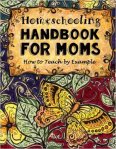
The Handbook for Moms (value 32.50)

The Benefit of Using Free Materials (with FREEBIES, of course!)

freestuffObviously, the crowning benefit of using free stuff is…it’s FREE! Right? No rocket science there.  But let’s think further.

How much money have you wasted because you read/heard recommendations about some fabulous (and perhaps spendy) product, bought it, tried it, shelved it? Me too. Something we need to remember is that each of our kids is pretty intricately designed. Buying what Ursula Unschooler or Becky Abeka did because it worked so fabulously for them might not be the best use of your precious homeschooling funds.  One HUGE benefit of using free materials is that if you don’t like it, there is no guilt in kicking it to the curb.

Another benefit of utilizing free resources is that (unless you are unusually blessed) your kids will probably each need a different approach to their schooling. You may have one child who is not academically wired at all and requires quite a bit of coaxing along. The next child may be bright, but struggling with a learning disability which requires you to rethink e-v-e-r-y-t-h-i-n-g. Yet another child may thrive on using workbooks, and functions exceptionally well independently. Another may be a move-and-touch learner…NO WAY workbooks will work. Have you felt this dilemma? In a perfect world, we could buy one box curriculum, and it would be seamlessly one-size-fits-all. But this is not a perfect world, and our kids are wired with amazing and wonderful diversity. Using free materials can help us adapt from one child to the next. It may enable us to tweak an existing curriculum so that it is usable between child #1 and child #3, by adding more audio appeal, more visual appeal, more touch appeal, more interest-led appeal.

Quite frankly, using free materials may make our break our ability to homeschool in the first place! These days, and with our current economy situation, it can be harder and harder to homeschool. The paycheck doesn’t stretch as far as it used to, and you may need one parent to be stay-at-home in order to make everything work. (If you have both parents in the home working while homeschooling, check out this blog post for some good coping strategies.)

In our home, I stay home with the kids. But that means we do a lot of penny pinching. We shop sales. We visit Dollar Tree routinely. Lots of our clothes come from second hand and consignment shops. We don’t do a whole lot of eating out or activities which require financing.

When I really launched our homeschool journey, I was stuck between a rock and a hard spot. I knew we had to quit what we were doing (public school virtual academy, where everything was provided free), but I did not have the funding to buy curriculum, and I needed something NOW. We withdrew our kids from the academy mid-Spring semester, Not ideal from a planning standpoint. How did we survive? Free curricula and internet.  And the library became a very regular stop for us each week.

In previous years, we had various curricula given to us or purchased for us. We did Bob Jones dvds, Abeka dvds, and Rod and Staff because of gracious gifts and provisions. They were not only pricey–they were also not “us”. I had not found our niche yet. So, I scrambled. I gave our kids a couple weeks to “deschoolify” (we did reading and basic math I scraped together in a flurry) and used that time to pour hours and hours into scouring the internet for quality, free resources. That was back in 2007.

Things have really stepped up since then. As homeschooling becomes more widely accepted, the internet has exploded with great stuff to use! Amazing, worthwhile stuff.  Back in 2007, things were not so plentiful. It’s amazing the difference only a few years can make!

The lifesaving freebies for me in our transition time were:

  • http://allinonehomeschool.com/ This was by far my biggest salvation. It is Christian (which is my preference), and structured, with lots of printables and live links included. It is now available through high school. This website alone gave me the format I needed to move forward even while I kept searching for ideal stuff that would be tailored to our family. It covers the core subjects and also electives. Flexible and free, you can do it at your own pace.
  • http://keysforkids.org I used this site as additional Bible material. It is free and gives some practical application for basic Bible truths through stories kids can relate to.
  • https://www.amblesideonline.org/ When I needed more material to beef up what we were doing, I started looking into the Charlotte Mason method to see if it would jive with my kids and their learning styles. In the end, it was a bit suicidal for me because it required a lot of hunting down of resources, scouring the web again, and finding out of print books. My health was not good at the time, so this was all pretty overwhelming for me. God was so gracious, and when I went to the used bookstore in our little western town, I found several old volumes that I needed. The likelihood of that happening is pretty slim. I’m grateful He was looking out for me!
  • At this link you’ll find the Schoolin’ Swag Pinterest board for complete curricula (and there’s a LOT more there, too). Not all of the pins are for free stuff, but many of them are!
  • I highly recommend following this site and this one as well, for lots of high quality freebies!

As a result of my scrambling, Schoolin’ Swag was born. It has now become a favorite resource to nearly 4,500 homeschoolers and continues to grow on a daily basis. Daily, we have dozens of freebies, discounts and deals posted. Of course, I highly recommend joining there as well!

For the Love of Learning,
Diane

What “Bible Time” Looks Like For Us (and LOTS of freebies)

From early on, I start teaching our kids to read their Bibles independently. I want them to see that God can speak to them, and they can understand it. Too much spoon-feeding helps our kids to feel they need to be reliant upon us in order to have a walk with God.

So, from the time they are small, we listen to Keys for Kids every day (you can also get it free in booklet form). We talk about the main idea of each broadcast. I copy and paste the verse for the day into a free handwriting worksheet maker for daily copy work.

When the kids were tiny, we used these little flashcards to learn a verse by heart for every letter of the alphabet.

I’ve also used a children’s Bible like this one, so they can begin reading passages on their own.

Who needs to hear the Bible read aloud more than the cat?

In addition, I also love this brand new children’s topical Bible, compiled by my friend, Michelle Brock.

I’ve used free printable Bible curricula like this and this (for older children).

I also enjoy including missionary biographies. Currently we are using this book, and we are really enjoying it. I’ve tried to encourage our youngest to write a little biography of her own using this free printable.

For my high schoolers, I’ve done some different things. I’ve used the New Answers Book (from Answers in Genesis), which is available free online (as well as a free study guide) for apologetics/creation science.  I’ve used this free material to create a “Life of Christ” course (here is a free commentary also). I put together a Biblical Counseling course using the free resources at Debi Pryde’s site in conjunction with this book by Elyse Fitzpatrick.

Finally, I’ve found plenty of videos recently addressing the idea of why the Bible is trustworthy. Here are the videos my 10th grader has watched thus far:

Science Confirms the Bible is True Part 1

Science Confirms the Bible is True Part 2

How Do We Know the Bible is True? (Josh McDowell)

40 Archaeology Facts Which Prove the Bible is True

A little more advanced is this series, “From the Mind of God to the Mind of Man” (free mp3s) by Mark Minnick, which addresses questions about inspiration, translations, and why the Bible we have is reliable.

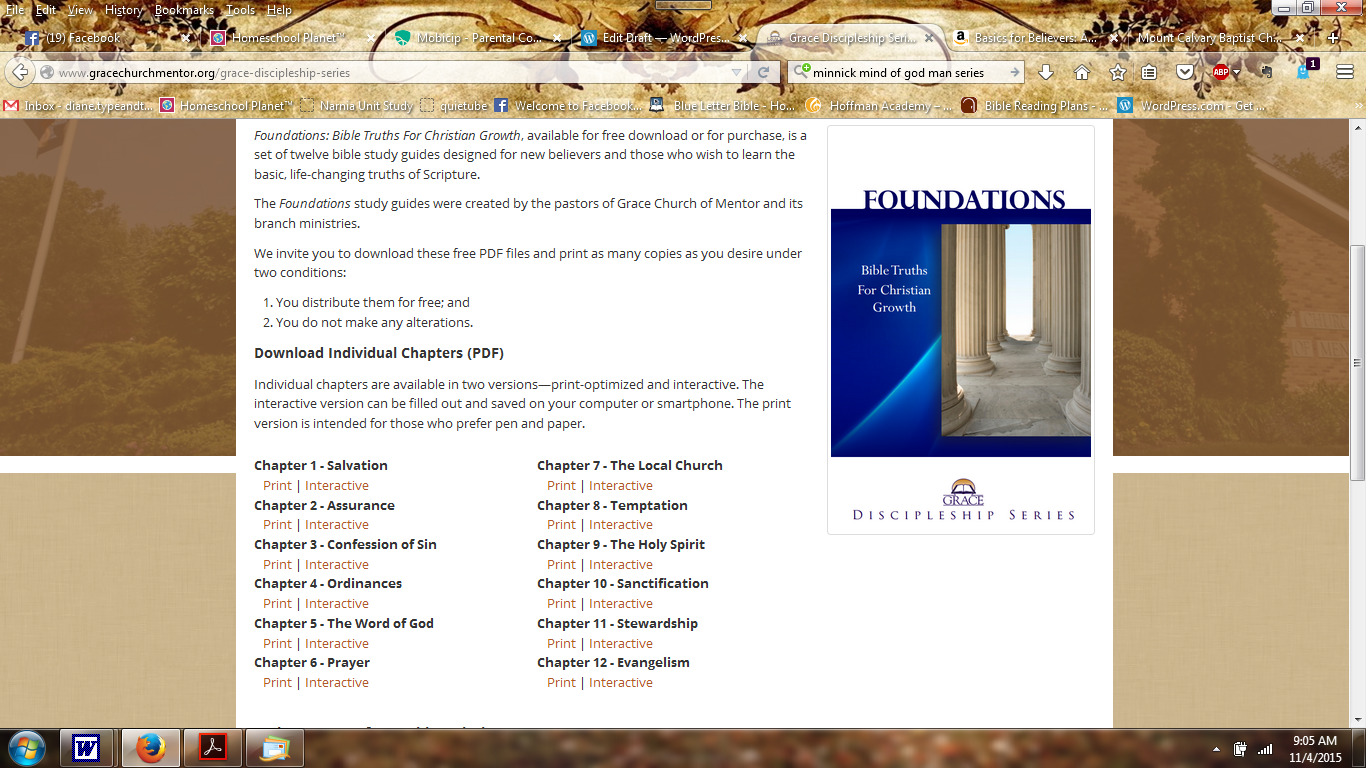
A great initial discipleship tool is “Basics for Believers” by Dr. Jim Berg (not free, but very reasonable). A more fully developed, free discipleship series called Foundations can be found here.

Here is a screen shot of all the topics covered:

foundationsHope this helps!

For the Love of Learning,
Diane

Making Vocabulary Fun (with Freebies)!

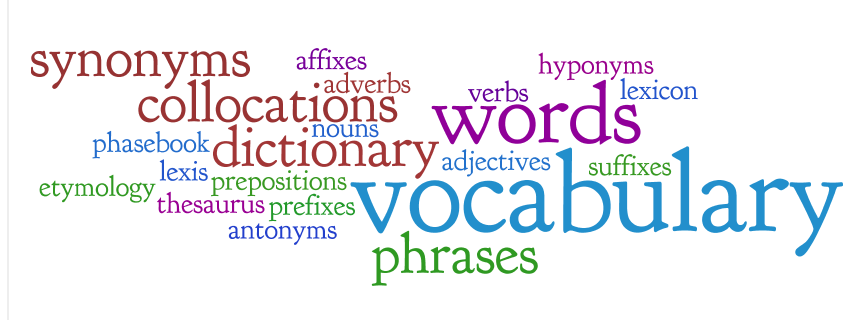
vocabularyAs a kid, I remember being given a list of words. I found them in the dictionary. Wrote them on a page in my blue lesson book, and copied the definition. Bleh. We need to spice this up!

Here are some easy peasy ideas:

  • First, I strongly feel that vocabulary is best learned via reading matter that matters. Have your kids read. Often. So much vocabulary and spelling is easily “caught” (gathered from context, imprinted in the mind by repetition) while reading something enjoyable.
  • Get a good children’s dictionary. We really like this one. Teach your child how to use it, how to find words by using guide words and alphabetization. Then find your word, read the definition, and have your child act it out or create a sentence including the word.
  • Write your vocabulary words on a white board in a common location in the house. Give your child a sticker for each time you hear them use their new words throughout the day.
  • Write a short (maybe even silly) story, trying to include as many words as possible. Use a free template like one of these, to allow your student to illustrate their story!
  • Play Pictionary with your list, drawing items or scenes to guess the words.
  • For tactile learners, try using play dough to craft items in association with vocabulary words.
  • Use websites like this free one, to create your own worksheets, matching words with definitions.
  • If reading definitions is tedious, read them with an accent. No kidding. Our daughter is reading in her attempt of an English accent today. 🙂
  • Encourage intelligent viewing. There is children’s programming that dumbs the script down, and there are other choices which broaden the vocabulary. Pay attention to what your kids are absorbing (for a lot more reasons than simply word choice!).
  • Use nifty free sites like this one, which has some great tools especially for visual learners.
  • There is also this site which offers free spelling and vocabulary games and tools. Insert your own spelling list and it tailors the activities to reinforce them!  Here is a video:

Hope these ideas help! Got some nifty, tried-and-true ideas of your own? Share them in the comments!

"Homeschool Planet" Review

planet97I’m a homeschooler, and creator of the Facebook group, “Schoolin’ Swag”. This past Monday, we hosted a huge giveaway event called the “Planner Palooza”, featuring over 25 prizes. It was a great event!

Well, I’ve been investigating planners for at least 3 years, and in preparation for the Palooza, I did research all over the web, looking for the best products I could find to offer. I thought I’d seen it all.  Then I got an email from the Homeschool Buyer’s Co-Op and my life took a new turn!

The Co-Op offers “Homeschool Planet” (click <– that link to see a video!) exclusively. Right now there is an offer to check it out for free for 30 days. It looked interesting, and was totally non-risk (they didn’t even ask for a credit card), so I thought I’d take a peek. I’m sure glad I did!

Now, prepare yourself…because I took a lot of screen shots so you can see what this looks like instead of just reading my descriptions. Ready? Click the images to enlarge:

I love all of these features (and there is SO much more)! I’ve only been using “Homeschool Planet” for a short time. I was going to wait a few weeks to do a review, assuming I’d need to figure things out first.  There was very, very little “break in” time for me, so I decided to do the review now so folks could see it in July, before the planning crunch hits!  I’ve decided it is definitely a keeper for me!

This planner is pretty much a no-brainer…extremely easy to use and navigate. I do like the fact that there are pretty theme options…if I’m going to look at something as much as I do a planner, I love for it to have visual appeal!

The widgets and different organizational options help me to have my “whole life” in one place…I can schedule classes, appointments, reminders, as well as a to-do list, shopping lists, search options and more via the optional widgets.

I really like that my students can access this via their own logins, and I can choose what they are able to view, and also what they are allowed to edit. They can check off assignments as they complete them, and attendance will be kept.

The data you enter can be shared with smart phones and tablets, using the mobile version.

I especially like that you get *real* people, and prompt replies when you have questions. I saw another blog post in which the writer sent these folks a message about something she wished to see as a practical feature…an improvement…and within a day or so it had been added!

I encourage you to check out this planner while the 30-day free trial is still available! Run! Better yet, grab a friend or two or twenty to come along!

Note:  I received a free 1-year subscription to Homeschool Planet in exchange for an honest review of the software. All opinions expressed above are my own.


K B Teachers

As I’ve consolidated my blogs into one, I’ve added more homeschooling information here.  Today, while searching for freebies for my Facebook page, “Schoolin’ Swag,” I came across a great site for homeschool teachers.  The name is K B Teachers, and if you visit, you won’t be disappointed!  Some wonderful freebies there!  Be sure to sign up for their free newsletter to get a heads up on new offers.

The One-Armed Paper Hanger Lives!

The only things I needed to buy for school this year…and it came to less than $30! 🙂

Oh yes…I’m still here. 🙂  Things have been a whirlwind here lately, so I’m having to juggle some priorities.

As you may know, in the space of a few weeks, we candidated at a church, which called my husband as their pastor, we packed, cleaned, and moved all our stuff (with the gracious help of friends).  We then had VBS at our church (the Lord blessed with a wonderful turn out for both the children’s morning program and the teen’s evening activities).  I was corralling kids from 9 until noon, unpacking like a crazy woman all afternoon, and then back to the church for the teens from 6:30-9:30.  Very busy days!

Now, we have only a few boxes remaining in the house, and things are feeling more like home.  This past week, I put my nose to the grindstone and got (at least) the first month of lesson plans done for school…which we’ve bumped to the first week in September, all things considered.  Wow, so grateful for amazing internet tools!  I began combing through resources several months ago to set up lessons for all three kids (1st, 7th and 10th grades).  The Lord helped me to find wonderful things (every bit of it free) as well as a superabundance of things I did not need, but simply could not allow to disappear back into the abyss of  I’ll-never-find-it-again-unless-I-bookmark-it-but-how-many-things-does-a-person-really-need-in-their-favorites. So I started “Schoolin’ Swag.”

If you are on Facebook, and have an interest in homeschooling, come join the group!  We have 300+ members now, with new friends being added every day.  Each day there are new freebies, tips and deals from all over the web.  I figured it was one way to help others who were in the same boat as I was…feeling overwhelmed, combing through scads of URL’s (some dead, some great, some not so much).

I’ll just share two tools here that I have really enjoyed.  The first is from GoalForIt.  This site offers free chore charts, with lots of templates and options.  There are very cute ones, and some that are more streamlined for tweens and teens.  Here is a screen shot of our Katie’s, for example:

The kids get to choose what buttons they want for checking off their responsibilities, and they can earn “moolah” if you wish (which translates into minutes for computer time in our house).

Another tool I am grateful for is Home School, Inc.  At this free site, I have set up all my lesson plans for all three students, and the various options allow me to print attendance records, report cards, etc.  I can keep track of each student’s progress daily, and it gives them one easy place (for older students) to independently move through their day, checking off their work as they go.  I just entered instructions for each course, and URL’s for where they need to go to find their work for the day.  It required a few hours of my time, but it will help things to go much more smoothly when school has begun.  Here is a screen shot of my main page for all of our courses:

Here is a “School Today” page for our 10th grader:

This view shows here how many courses she has each day. If she clicks on “View Week,” it gives her the week’s assignments at a glance. She also has the option of clicking the down arrow on any given day to see that day’s work. The small boxes next to each date indicate if that day’s work has been complete.

So this gives you a pretty good idea about where I’ve been.  Looking forward to a great year. Once the dust settles, I’ll share more postings with you here.  TTFN! 🙂